WordPress runs a huge share of the small-business websites in Oxfordshire — the garden centre in Bicester, the mortgage broker in Abingdon, the café in Witney, the engineering firm near Harwell. Most of those sites were built once and then left alone, and that is where the trouble starts. A WordPress site does not stay visible on Google by itself. Plugins go stale, pages get slow, and the town pages that should bring in local customers never get written. This guide fixes that, in plain English, with the actual checks, the actual costs, and a 90-day plan you can follow yourself.
SEORankGulf is an SEO service for businesses in Dubai and the Gulf that want more calls and customers from Google. For businesses in Oxfordshire, we do the same work remotely: the same technical fixes, town pages and honest monthly reporting, priced in US dollars. You can see what that work looks like on our SEO services page, and what it costs on our pricing page. If you want to see how the same method works in other small markets, our guides to SEO in Wales and SEO in Bath use the same plain-English checks you will find below.
WordPress SEO in Oxfordshire — the short answer
WordPress SEO in Oxfordshire means making a WordPress website fast, technically sound and locally visible, so Oxfordshire customers find it on Google when they search for what you sell. It covers speed, Core Web Vitals, schema, local pages for each town, and a complete Google Business Profile. Most of it is fixable in weeks, not months.
Why do Oxfordshire searches split in two?
Oxfordshire is one county with two different economies, and Google treats them differently. Get this split wrong and your pages will chase the wrong customers.
The first economy is Oxford itself: the university, the colleges, academic publishing, the spin-out companies around the Oxford and Begbroke Science Parks, and the professional firms that serve them. People searching in this half of the county use precise, national words. A spin-out founder searches for a patent lawyer, not "lawyer near me". A college department searches for a specialist supplier, not "shop in Oxford". These searches are won on expertise and depth, not on being two streets away.
The second economy is the market towns and the countryside: Banbury, Bicester, Witney, Abingdon, Didcot, Henley, Wallingford, Woodstock, Chipping Norton, Carterton. Here the searches are local and practical. Someone in Banbury types "plumber Banbury". Someone in Witney types "café Witney". Someone near Harwell types "accountant near Harwell Campus". These searches are won on the map, on reviews, and on pages that name the town properly.
The mistake most Oxfordshire WordPress sites make is writing one page that tries to serve both halves. A page called "Our Services" that mentions Oxford once and never names a town cannot win "electrician Bicester" and cannot win "WordPress developer Oxford" either. It is too vague for both. The fix is simple and it runs through this whole guide: one page per service, per town, written in the words the customer in that town actually types.
There is a number worth knowing before you spend anything. Semrush recorded 320 searches a month in the UK for "wordpress seo oxfordshire" on 8 November 2026, with a keyword difficulty score of 4% and a cost per click of $0. Three hundred and twenty owners a month search for exactly this help, the difficulty is very low, and nobody is paying to advertise on the phrase. That is an open door, not a crowded room.
And here is the honest picture of what those 320 searchers find. The site ranking first is five months old — its domain was created on 4 June 2026 — and it holds the top spot with eight referring domains. The site ranking second is a one-person Oxfordshire business, a solo specialist with honest prices and one good case study. Neither of them publishes a WordPress technical guide for Oxfordshire. Neither of them walks a business owner through the actual checks. That is the opening. A guide that does the real work — the checks, the towns, the costs — can outrank both of them.
What is WordPress SEO, really?
Strip away the jargon and WordPress SEO is six jobs, all of them practical. None of them needs a developer on retainer, though some are easier with one.
First, speed. Google measures how fast your pages load and how steady they feel while loading — the Core Web Vitals. A WordPress site slows down for ordinary reasons: too many plugins, images that were never compressed, a cheap hosting plan, a theme that loads half the internet on every page. A slow site loses customers before they read a word, because half of them leave while the page is still loading. Speed is the first fix because it helps everything else.
Second, upkeep. WordPress, its themes and its plugins all need updates, and updates left for a year become security holes. Google does not rank a hacked site. A site that was last updated in 2024 is also a site whose contact form may have quietly stopped working, which means enquiries are vanishing without anyone noticing. Check the updates every month. It takes ten minutes.
Third, structure. Google needs to understand what each page is about. That means one clear title per page, headings that say what the section covers, and schema markup — a small piece of code that tells Google "this is a local business in Banbury" or "this is a product with a price". Most WordPress sites have schema only because their SEO plugin added a default version of it. The default is better than nothing, but it is not the same as schema written for your actual business.
Fourth, content that answers a real question. A page that says "we are a leading provider of innovative solutions" answers nothing and ranks for nothing. A page that says "emergency plumber in Bicester, call-out from £75, most repairs £120 to £240, usually same day" answers the exact question the customer typed. Write for the question, not for the brochure.
Fifth, the local signals. Your Google Business Profile, your name, address and phone number written the same way everywhere, and reviews from real customers. WordPress SEO without the profile is half a job in Oxfordshire, because so many local searches end on the map, not on a website.
Sixth, links from places that matter locally. One link from the Banbury business network, one from a supplier, one from a local paper, each tells Google that real people in Oxfordshire know your business. Ten links from random directories tell Google nothing.
The WordPress checks you can run yourself this week
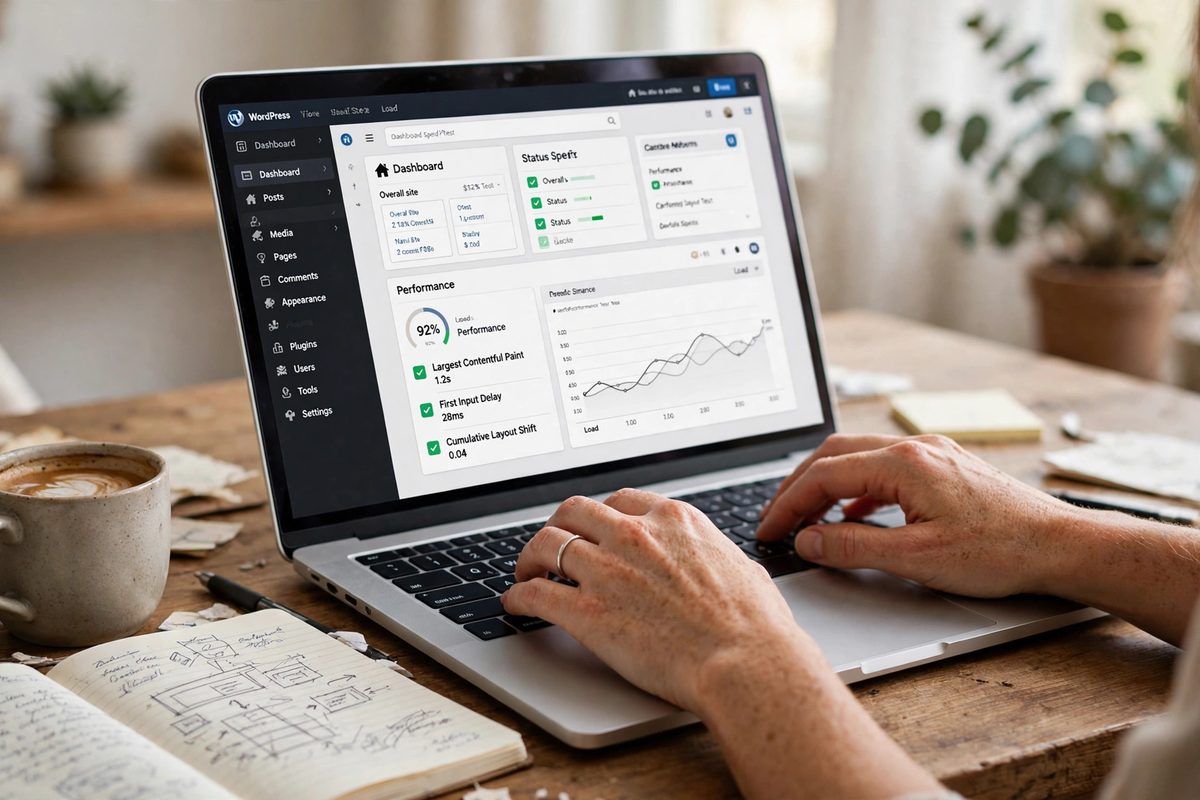
You do not need to hire anyone to find out where your site stands. Set aside an hour and run these checks in order. Write the results down, because the list becomes your first month's work.
Start with speed. Open Google's PageSpeed Insights, type in your homepage address, and read the mobile score. Anything under 50 needs attention now. Between 50 and 89 is workable but improvable. Over 90 is good. Then run the same check on your busiest service page — the homepage score and the service-page score are often very different, and the service page is the one customers land on. If the report flags images, compress them. If it flags a plugin, ask whether you still need it. Many WordPress sites carry five plugins doing the job of one, and three plugins nobody remembers installing.
Next, count your plugins. Open the plugins page in your WordPress dashboard and count. Fifteen is normal for a small business site. Thirty is a warning sign. Fifty means something is wrong — probably a page builder plus three add-ons plus a slider plus a pop-up tool plus a chat widget, all loading on every page. Deactivate anything you cannot name the purpose of, test the site, and delete what breaks nothing. Keep one SEO plugin, not two, because two SEO plugins writing the same tags will fight each other and confuse Google.
Then check your titles. Search Google for your business name and read what comes up. Then search for your main service plus your town — "plumber Banbury", "solicitor Witney" — and see whether your page appears and what its title says. If the title is your business name and nothing else, Google has nothing to rank you for. A good title says the service, the town and the business, in that order: "Emergency Plumber in Bicester — Call-Out, Prices and Response Times". Keep it under 60 characters where you can.
Then check your schema. Search for a free schema testing tool, paste in your homepage address, and see what Google reads. If it shows your business name, your address and your opening hours, you are in decent shape. If it shows nothing, or shows a generic "WebSite" entry with no local detail, your SEO plugin's default needs replacing with local-business schema. This is a twenty-minute job for anyone comfortable in the dashboard, and a one-hour job for a developer.
Then check your images. Open your media library and sort by size. Any image over 500 KB on a normal page is too big. Any image over 2 MB is a problem. Compress them, and while you are there, check the file names: a photo called IMG_4821.jpg tells Google nothing, while garden-centre-bicester.jpg tells it exactly what the photo shows. Alt text matters the same way — describe the photo in plain words, including the town where it is honest to do so.
Then check your contact routes. Fill in your own contact form and see whether the message arrives. Ring your own number from the website and see whether it connects. Click the WhatsApp button if you have one. This sounds obvious, and it is the check that finds the most lost business — a form that broke during an update, a number that changed two years ago, a button that goes nowhere.
Finally, check your Google Business Profile against your website. Same name, same address, same phone number, same hours — everywhere, including bank holidays. A mismatch between the profile and the website is one of the commonest reasons a business fails to appear on the map, and it is free to fix.
One Oxfordshire detail: the county's market towns each have their own search habits, and your checks should respect them. A Banbury customer searches differently from a Henley customer, and a Harwell Campus engineer searches differently from both. Your site should show you know that, and the next section is how.
Want this for your business?
SEORankGulf ranks your business on Google's first page — with local SEO, technical fixes, and content that brings customers.
Get a free SEO auditOne page for every town you serve
Most Oxfordshire WordPress sites have one page called "Services" with a short paragraph about everything. Google cannot rank that page for "boiler repair Bicester" and "emergency plumber Banbury" and "bathroom fitter Witney" at the same time, because the page is about nothing in particular. A customer looking for one thing cannot find it there either — they arrive, they glance, they go.
Build one page per service, per town, instead. At minimum, build pages for the services that pay your bills, in the towns you actually serve. One page, one service, one town — that is the unit that ranks. Every one of those pages carries the same five answers: what the service is, who it is for, what it costs as a starting price, what happens when you book, and how to get in touch. A page that gives all five earns the call. A page that only says "we offer boiler repair" earns nothing.
The towns are not interchangeable, and your pages should prove it. An Oxford page should talk about the colleges, the science parks and the professional firms — the customers there buy expertise and they check credentials. A Banbury page should talk about the town centre, the trade parks and the villages around it — Banbury serves a wide rural area, and customers there will drive twenty minutes for the right tradesperson. A Bicester page should mention the village retail park and the new housing, because Bicester is growing fast and new residents search for everything at once. A Witney page should mention the blanket-hall history and the market-town high street, because Witney customers are loyal to local names. A Didcot or Harwell page should speak to engineers and campus staff, who search in precise technical words. A Henley page should know its customers expect a premium service and say so plainly.
Put a price on the page, even a range. Owners hold back here more than anywhere else, and it costs them the customer. Somebody typing "boiler repair cost Bicester" has already decided to pay; they want to know if the job is £90 or £300 before they pick up the phone. Show the range and the phone rings. Hide it behind "call for a quote" and they scroll on. When the price genuinely depends on the job, say so and give the range anyway. People trust a number with an honest reason behind it. They do not trust a blank.
Use the customer's words, not the trade's. Nobody types "defective compression fitting" into Google; they type "leaking tap". Nobody types "central heating diagnostics"; they type "fix my boiler". Put the proper term in once, so Google understands the trade, then write everything else the way a customer would say it. Title the page the way they search — "Emergency Plumber in Witney — Call-Out, Prices and Response Times" — and Google can place it. Title it "Plumbing Services" and it could be about anything, anywhere.
What does WordPress SEO cost in Oxfordshire?
Cost is the first question, and it should be. Prices differ because the work differs: a one-person firm serving one town needs less work than a firm chasing customers across the whole county.
Here is what the market actually charges, from the pages ranking for this search today. SerpCraft, the London agency ranking first, says in its own FAQ that UK SEO typically ranges from around £500 to £2,000 or more per month for small businesses, and £2,000 to £8,000 or more for competitive ecommerce, legal or SaaS campaigns — and it scopes each price after a free audit. Code-Flux, the solo Oxfordshire specialist ranking second, publishes its prices plainly: SEO packages from £300 a month, a website audit from £49, a small website from £200, a standard website from £499, and a care plan from £75 a month. Primo Interactive, the Oxford agency with pages for the city and the county, gives a free consultation and no prices on its ranking pages. Cude Design, the WordPress agency serving Oxfordshire from Surrey, likewise shows no prices on its Oxfordshire page.
That spread is your negotiating power. When one provider publishes £300 a month and another quotes £500 to £2,000, the question is not which number is smaller — it is what each number includes. Take every quote in writing, and ask the provider to spell out, in plain words, how many pages get fixed or written, whether the profile is looked after, whether the technical checks in this guide are included, and whether the monthly report counts customers or only rankings. The cheapest quote is the most expensive one when it buys almost no work.
Our plans are public and simple: $300, $600 and $1,200 per month. The entry plan undercuts most UK agency starting prices, because the work is remote, month to month, and without their overheads. Which plan fits depends on how much your site needs fixing and how many towns you want to cover.
There is a second cost that never appears on a quote: waiting. Every month your plugins sit stale and your town pages stay unwritten, the customers searching in your area go to the rival who did the basics. In a county where 320 owners a month search for exactly this help, those lost customers add up fast — a quiet diary this month becomes a quiet diary next month too.
Get your free audit. Call now for a plain-words check of your own WordPress site, or message us on WhatsApp at +92 315 0642491. We will tell you the first fixes worth doing, before you spend on a monthly plan.
A Bicester garden centre's first 90 days
Picture a small example to make it concrete — the business is invented; the method and the numbers are real. A family runs a garden centre on the edge of Bicester. The site is WordPress, built three years ago, with 41 plugins, a homepage that loads in over six seconds on a phone, and one page called "Services" that lists everything from compost to fencing. They get most customers from passing trade and a few from Google, and they have no idea which pages bring anyone in.
Week one is the tidy-up. They run the speed check and find the homepage scores 38 on mobile. They compress the images, remove eleven plugins nobody can explain, and switch the homepage slider off. The score rises to 71. They update WordPress and every plugin, and they find the contact form has been failing silently for a month — three enquiries a week, gone. They fix it the same day. Cost: nothing but an afternoon. Result: the form works again, and the site loads in under three seconds.
Weeks two to four are the pages. They build six new pages: garden centre Bicester, plant nursery Bicester, fencing Bicester, compost delivery Bicester, café Bicester, and Christmas trees Bicester. Each page has the five things from the last section — what it is, who it suits, the price range, what a visit feels like, and how to book. The café page says breakfast is £7.95 to £12.50 and the Christmas trees page says Nordmann firs start at £35. They also write the town into each page properly: the retail village down the road, the new estates where young families have just moved in, the allotments on the other side of town.
Weeks five to eight are the profile and the reviews. They claim and complete the Google Business Profile, add ten real photos, set the Christmas hours early, and start asking customers for reviews — one at the till, one by text after a delivery. By week eight they have 23 reviews, the newest from that week, and the profile shows up when someone searches "garden centre Bicester" from the retail village. They also fix the name, address and phone number so it matches the website exactly, including the formatting.
Weeks nine to thirteen are the habit. One photo a week on the profile. One small fix a week on the site — a price that changed, a new plant line, a page for a product customers keep asking about. One blog post a month, about something customers actually asked in the shop that week. By day 90 the site has gone from invisible to appearing on page one for "garden centre Bicester" and "plant nursery Bicester", and the till can trace roughly a dozen extra visits a week to Google searches. Nothing in the plan cost more than time and one afternoon a week, and the only money spent was the hosting they already paid for.
The lesson is not that garden centres are special. It is that the work is ordinary, the order matters — speed and fixes first, pages second, profile third, habit last — and that a WordPress site rewards the owner who treats it like a shop: tidy, true, and updated every week.
Your Google Business Profile and your WordPress site work as a pair

A WordPress site on its own is half the job in Oxfordshire. The other half is the profile — the box with the map, the hours, the photos and the reviews that appears when someone searches for your business or your trade nearby. Google itself says three things decide local results: how relevant you are to the search, how close you are to the searcher, and how prominent — how well known and well reviewed — your business is. You cannot pick your building up and move it. The other two are yours to fix, and the profile is the tool for both.
The pair works like this. The profile wins the customer who is searching right now, on their phone, standing in Banbury or Bicester. The website wins the customer who wants to check you first — the prices, the photos, the reviews in full, the booking page. If the profile is wrong, the customer never reaches the website. If the website is slow or vague, the customer who reached it goes back to the map and picks the next business. Both have to be true at the same time.
Check the pair once a month, together. Search for your own trade on your phone, from your own shop, and then ask a friend to search the same words from the other side of the county — from Witney if you are in Banbury, from Abingdon if you are in Bicester. Note the three businesses in the map box each time: how many reviews each one has, how recent the newest one is, and what their photos show. If a rival shows up in both places and you show up in neither, the profile is usually the reason — fewer reviews, older photos, or services described in words no customer types. Fix the profile first, then the page.
One Oxfordshire detail most agencies never mention: the university terms. When students arrive in October and leave in June, whole streets change their search habits. Cafés, barbers, laundrettes and late-night food near the colleges see a surge, then a quiet summer. A profile with fresh photos and correct term-time hours will win customers in October that a neglected profile never sees. Mark the term dates in your diary now, and update the profile the week before students arrive, not during freshers' week.
How to pick WordPress SEO help in Oxfordshire
If you decide to hire help, these five checks will tell you most of what you need to know before you sign anything.
First, ask what they will do in the first month, in writing — and check that the list includes the technical checks from this guide, not just "content and links". Second, ask who does the work: the person you spoke to, or a junior, or someone overseas you will never meet? Third, ask them to show you a WordPress site they improved, with the before-and-after speed scores and the rankings, not just a logo wall. Fourth, ask how they report: customers and calls, or only rankings? A report that shows positions but never enquiries is measuring the wrong thing. Fifth, ask what happens if you leave — do you keep the site, the content and the logins, or does everything stay with them?
Watch for the warning signs too. Page one in a fortnight is not an honest promise. A provider who cannot show you a real client is hiding something. One who reports positions but never customers is counting the wrong thing. And a provider whose own site is slow, thin or invisible has already told you its standard — run their own speed score before you believe the pitch.
You can test the market yourself in ten minutes. Code-Flux publishes its prices and its SN Mortgages case study — an Oxfordshire mortgage advisor moved from pages four and five to page one — on its own homepage. SerpCraft publishes verified Search Console results, 6.12 million impressions and 29.3 thousand clicks over twelve months, on its own homepage. Neither of them publishes a WordPress technical guide for Oxfordshire, which is exactly the gap this guide fills. If you want to see how the same plain-English method works in a bigger city, our guide to an SEO company in Birmingham and our guide to an SEO company in Manchester use the same five checks you just read.
Frequently asked questions
How much does WordPress SEO cost in Oxfordshire?
Prices vary with the work. The providers ranking today quote from £300 a month (Code-Flux SEO packages) up to £500–£2,000 or more a month for small businesses (SerpCraft's published range). Our plans are $300, $600 and $1,200 per month, with the right one depending on how much fixing your site needs and how many towns you serve.
How long does WordPress SEO take to work in Oxfordshire?
Give it three months for the first movement and six for strong page-one rankings, provided the basics are actually done. Oxfordshire is a low-competition market — the two sites at the top hold authority scores of 6 — so solid basic work moves faster here than the same effort would in London. A promise of page one in two weeks is not a promise anyone honest can make.
Is WordPress good for SEO?
Yes, when it is looked after. WordPress is popular precisely because it handles the basics well: clean URLs, an SEO plugin, easy pages. It goes wrong when plugins pile up, updates stop and images stay uncompressed. A looked-after WordPress site is one of the easiest sites to rank; a neglected one is one of the slowest.
Do I need a different page for each town in Oxfordshire?
Yes — for the towns you genuinely serve. A Bicester customer reading a page written for Bicester, with Bicester prices and Bicester streets, will ring you before they ring the business with one vague page for the whole county. That is the whole point of the page.
Should I hire an agency or do WordPress SEO myself?
Do the checks in this guide yourself first — speed, plugins, titles, schema, images and the profile. That hour tells you how big the job is. If the fixes are small, keep going yourself. If the site needs rebuilding or you serve ten towns, hire help and use the five checks above to choose it. Either way, you will know what you are paying for.
Your next step is simple, and it costs nothing. Get a free SEO audit of your Oxfordshire WordPress site — we will show you where you rank today, where your competitors are beating you, and the first fixes worth doing. Message us on WhatsApp at +92 315 0642491, or call now. Then read our SEO services page to see what the monthly work looks like once the audit is done.